


What started as a quick Kiri‑e experiment with my Cricut Maker turned into a full Illustrator and HTV project. Here’s the Maiko t‑shirt I created.
When I first got my Cricut Maker, I thought I’d try making a Kiri‑e (Japanese paper‑cutting) of a Maiko — a geisha apprentice — along with my Spitz dog.

Then I thought…

Can I add some colour and make her into a t-shirt?
Me and my great idea brought upon a week of intense Illustrator time.
Since the original Kiri‑e was designed to be cut from one single sheet, I had to rethink the whole thing and break it into three colour‑blocked layers for HTV. I’m not a pro of this Adobe thingo so I struggled a lot, but I finally got there!

I simplified her kimono pattern and her hair accessory so that heat transfer vinyl is likely to work out. Most other things stayed the same, but the original design wasn’t intended to have colour, so it was quite a journey, digitally. 😅
Then off I went to Uniqlo to buy a small Supima Cotton V-neck Tshirt. (I initially didn’t like the boxy cut, but it’s so comfy and not too long like other t-shirts, it became my go-to for applying HTV.)
And my trusty little couple months old Cricut Maker 3 did some great cutting work.
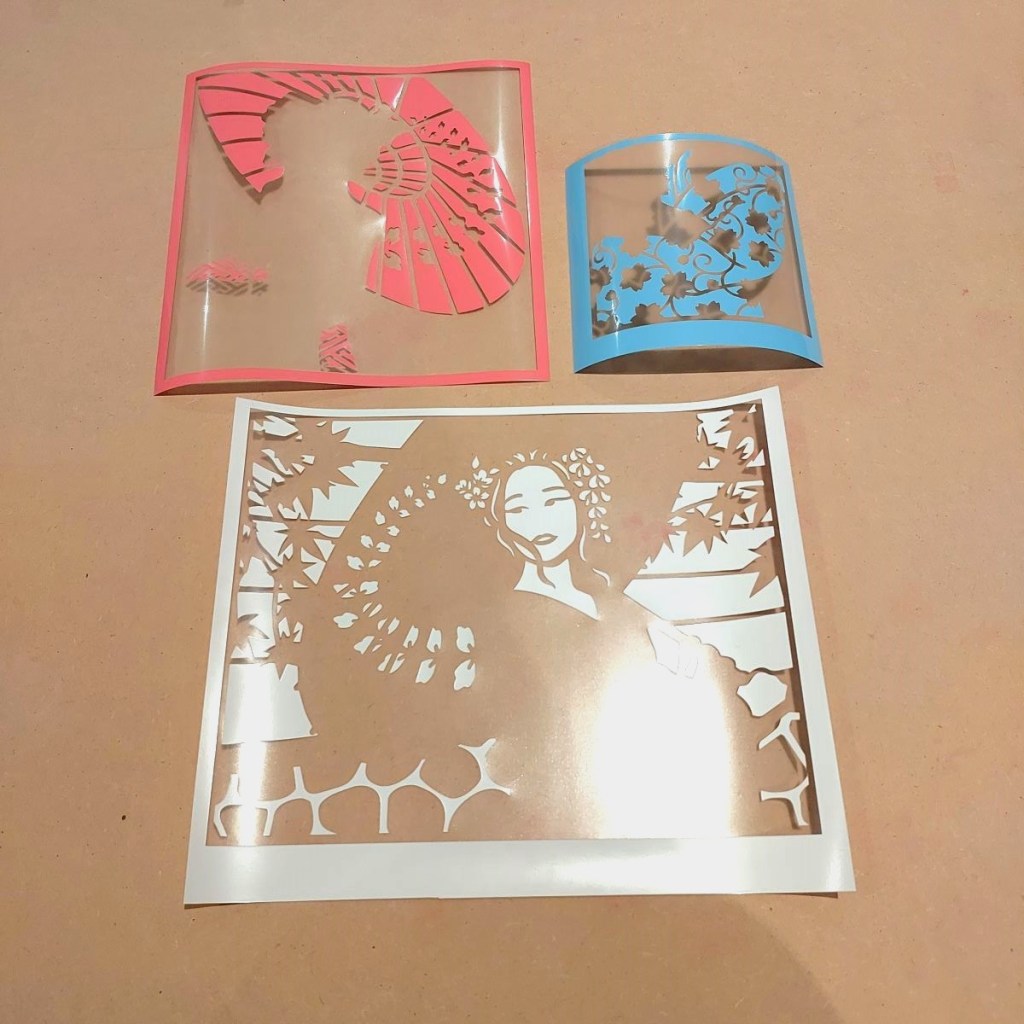
I used Siser EasyWeed for the heat transfer vinyl. The colours used were:
- White (EasyWeed)
- Pale blue (EasyWeed)
- Coral (Eco-Stretch)
Starting with white to guide the placement of other colours, I used a household iron to adhere the cut outs onto my t-shirt.
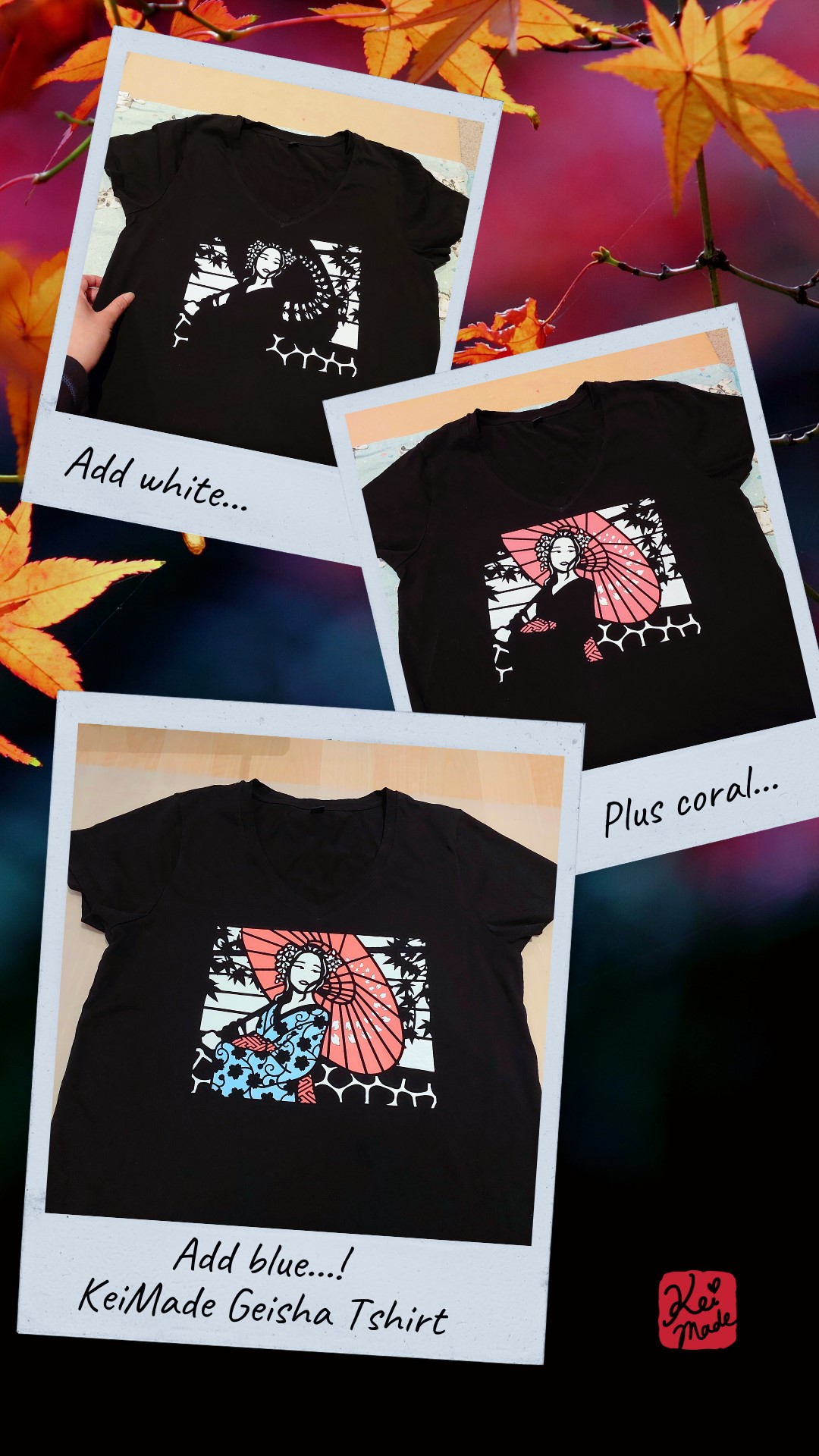


The maiko illustration is actually based on my photo shoot a while ago; but that’s for another day!



Leave a Reply